Have you heard about cache and how it can speed up websites? If you’re curious about using one for your WordPress site, we’ve got you covered. WordPress cache plugins are popular because they significantly boost your site’s speed, SEO, efficiency, user experience, and conversion rates.
Users dislike slow websites. If a site takes more than two seconds to load, users might start doubting the business’s authenticity. A good caching plugin is a fantastic way to address this issue.
Cache plugins can help speed up your WordPress site and reduce server strain.
How Do Cache Plugins Work?
Before diving into how cache plugins work, it’s essential to understand site speed. Various free site speed tools are available online. Use one to conduct a speed test and see where your site stands.
So, what is a cache? A cache is a collection of temporarily stored data that can be quickly accessed when needed. Think of it like saving data on a computer’s hard drive, but with operations required to access the data.
Caching solves this problem by processing frequently requested data in one place and storing it temporarily. This makes it easier for computers to locate the file.
WordPress caching plugins work similarly. They use this method to speed up page load times.
Why Should You Use a WordPress Cache Plugin?
You might wonder why you need a cache plugin. Using WordPress means dealing with a dynamic content management system where all information comes directly from the database and runs through various operations when a visitor lands on your site. As the number of visitors increases, page speed decreases.
A cache plugin speeds up page transitions. When a visitor views a page, the cache plugin copies the page info so the next visitor can access it more quickly.
A faster website increases traffic and drives organic search traffic, boosting your SEO ranking.
Here are our top choices for the best and most popular cache plugins for your WordPress website.
1. WP Super Cache
WP Super Cache is a widely recommended plugin with over 2 million active installations and regular updates. It’s free and built by the team behind WordPress.com and WooCommerce.
WP Super Cache works by converting your dynamic WordPress blog into static HTML files, reducing the need to process heavier codes each time a user visits.
Benefits of WP Super Cache
- Converts heavy script languages into simpler codes through concatenation
- Page cache functionality
- Preload mode
- Garbage collection to clean up old cache files
- GZIP compression
- CDN support
- Browser caching
- Custom caching options
Before installing any plugin, ensure you delete all previous cache files.
2. W3 Total Cache
W3 Total Cache has over 1 million installations and more than 3,000 five-star reviews. It’s not only popular but also user-friendly. This plugin is dedicated to improving your SEO ranking and user experience by reducing page load times and enhancing site speed.
Benefits of W3 Total Cache
- Increases page speed up to 10 times when fully optimized
- Browser caching
- Compatibility with various server types (hosted, private, dedicated)
- Minification of hard script codes
- Clear CDN management
- AMP support
- Mobile usage support
- Secure Socket Layer support
- Database, object, and fragment caching
- Several security mechanisms to ensure website safety
- Data insights feature for cache information
W3 Total Cache also offers a premium version with more performance options. Beginners might find the numerous features overwhelming, so take your time exploring them to fully optimize your website.
3. WP Rocket
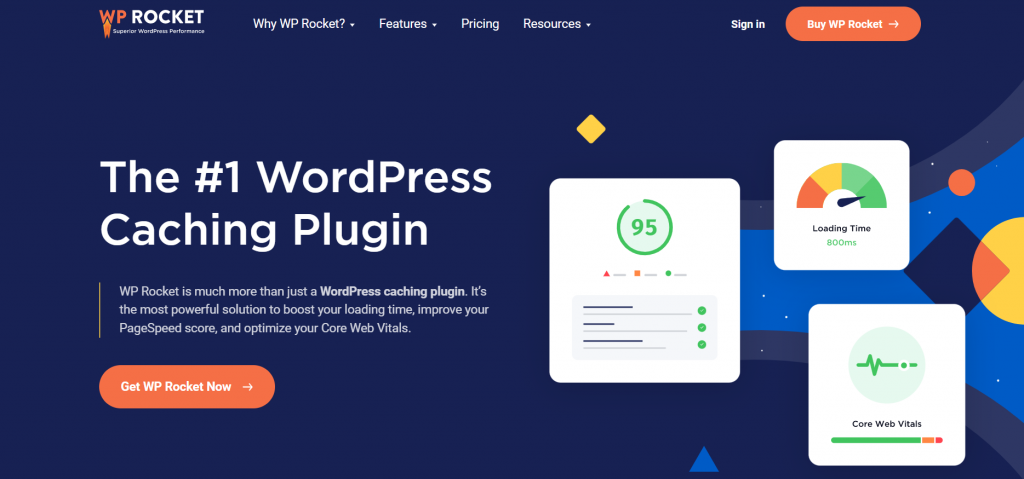
WP Rocket is the only premium cache plugin on our list that isn’t available on WordPress.org. It doesn’t offer a free version, but it’s ideal for beginners looking for a user-friendly cache plugin.
WP Rocket is convenient because it’s easy to understand and use. It speeds up your site’s load time, which is crucial for improving SEO and increasing conversions. It offers one-click cache cleaning, which impresses users by automatically activating speed-enhancing tools when someone visits your site.
Benefits of WP Rocket
- Beginner-friendly and easy to set up
- Compatible with eCommerce websites and popular plugins/themes
- LazyLoad feature for images and iframes
- Cache preloading with two method varieties
- Minification and JS delay execution
- Compatibility with CloudFlare for faster site speed
- GZIP compression
- Content preloader
- CDN integration and management
If you’re still unsure, give WP Rocket a try!
4. Cache Enabler

Cache Enabler, a free plugin by KeyCDN, is one of the simplest yet powerful cache plugins. It requires easy configuration and significantly boosts your site’s speed. It generates static HTML files for the front end, saving them on the server. Users then see static HTML pages instead of dynamic ones.
Benefits of Cache Enabler
- Quick cache engine
- Serves WebP images without JS, ideal for image-heavy eCommerce sites
- Straightforward setup and user interface
- Mobile-friendly
- Cache expiry setup
- Pre-compression with Brotli and GZIP
- HTML minification
- Real-time cache size display in the WordPress dashboard
- Works well with most third-party plugins
5. WP Fastest Cache

WP Fastest Cache, like its name suggests, promises to deliver super-fast site speed. It offers advanced features while remaining simple to use. With over 1 million installations, it’s popular and user-friendly.
WP Fastest Cache has both free and premium versions. It offers easy navigation, allowing you to manage cache timeouts, image optimization, and the CDN from a single menu.
Benefits of WP Fastest Cache
- Uses Mod_Rewrite for the fastest method
- Automatically deletes caches after publishing content
- Admins can selectively remove cache files
- Cache block option
- Timeout option for cache
- SSL and CDN support and management
- Image optimization
- Database cleanup
- GZIP compression
- WebP conversion
WP Fastest Cache is one of the most comprehensive cache plugins available.
Summing Up
There are many cache plugins available, such as Comet Cache, Bluehost, SG Super Cacher, and more. These plugins are also great for your website. We’ve described the best ones we thought of.
Cache plugins are crucial for your website’s performance. A fast-loading page increases user confidence and conversion rates. Try different cache plugins to see which works best for your site.
We hope our article provided you with enough information. Drop a comment below if you have any queries about top cache plugins.